Audit Logs
Use the audit log to review recorded ProxCenter actions: who performed an operation, when it happened, the affected resource and its outcome.
Viewing Audit Logs
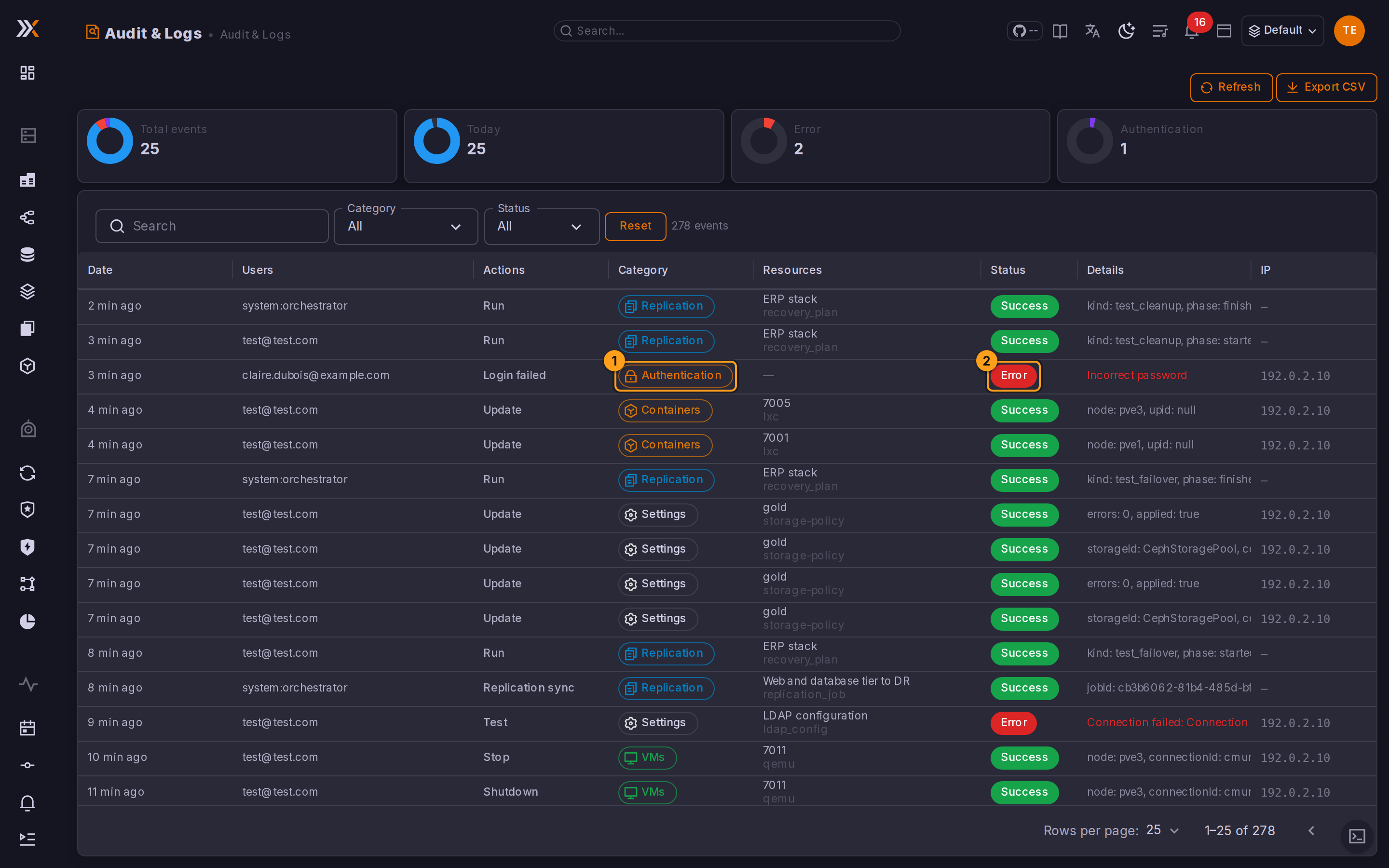
Open Security & Access > Audit & Logs. To review a customer's actions, switch into that tenant first. Each entry includes:
| Field | Description |
|---|---|
| Timestamp | Date and time the action was performed |
| User | The account that initiated the action |
| Action | The recorded operation, such as a sign-in, update or session revocation |
| Resource | The target resource (VM name, user email, role name, etc.) |
| Details | Additional context such as parameters, old/new values, or error messages |
| IP Address | The IP address from which the action originated |
Tracked Actions
The audit log captures actions across all areas of ProxCenter:
- Infrastructure -- Starting, stopping, creating, deleting, and migrating VMs and containers
- Backups -- Creating, restoring, and deleting backups
- Snapshots -- Creating, restoring, and removing snapshots
- User Management -- Creating local accounts, editing, disabling, and removing users
- RBAC -- Creating, editing, and deleting roles; assigning roles to users
- Connections -- Adding, editing, and removing Proxmox connections
- Settings -- Modifying platform configuration, license activation
- Authentication -- Login attempts (successful and failed), password resets
- API tokens -- Token creation and deletion, every write made with a token (
apitoken.write, with the token name, prefix and Proxmox task ids) and every refused call (apitoken.denied). See API Tokens
Filtering and Search
The audit log provides several ways to narrow down entries:
Search
Use the search bar to find entries by keyword. The search matches the user email, the resource name and the action, and it is case-sensitive. It does not search the details of an entry.
Filters
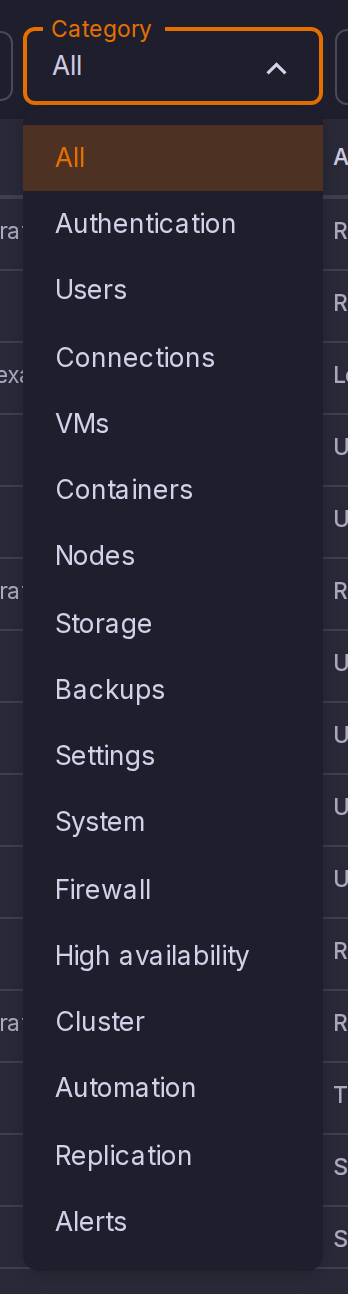
Apply filters to focus on specific activity:
| Filter | Options |
|---|---|
| Category | Select an action category |
| Status | Success, Error or Warning |
Combine category, status and search to narrow an investigation. Reset clears the filters and returns to the first page.

Log Retention
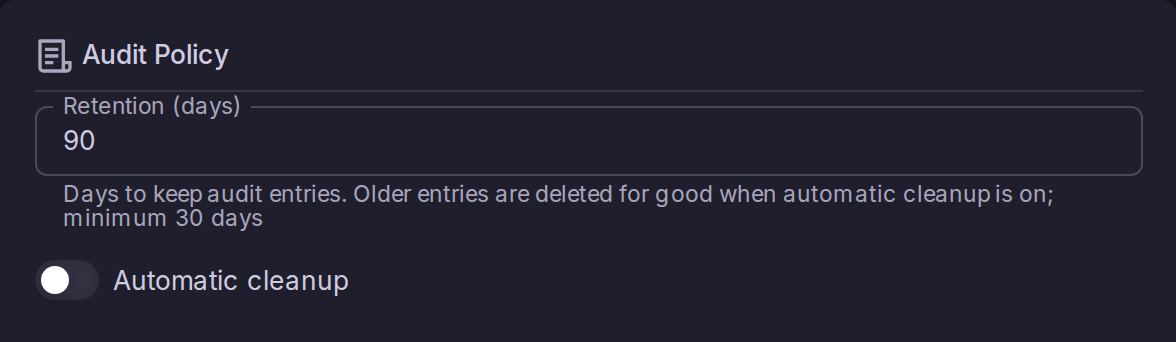
Security & Access > Compliance > Policies > Audit Policy stores a retention period and an automatic-cleanup setting, but ProxCenter does not currently delete audit entries based on them. For long-term archival, forward the audit log to a syslog collector or SIEM.

A CSV export covers only the loaded page. It does not archive the full audit history.
Exporting Logs
Administrators can export audit logs for external archival or analysis:
- Apply any desired filters to narrow the dataset
- Select the page of matching records you need.
- Click Export CSV to download that page. Set Rows per page to 100 to export up to 100 entries at once.
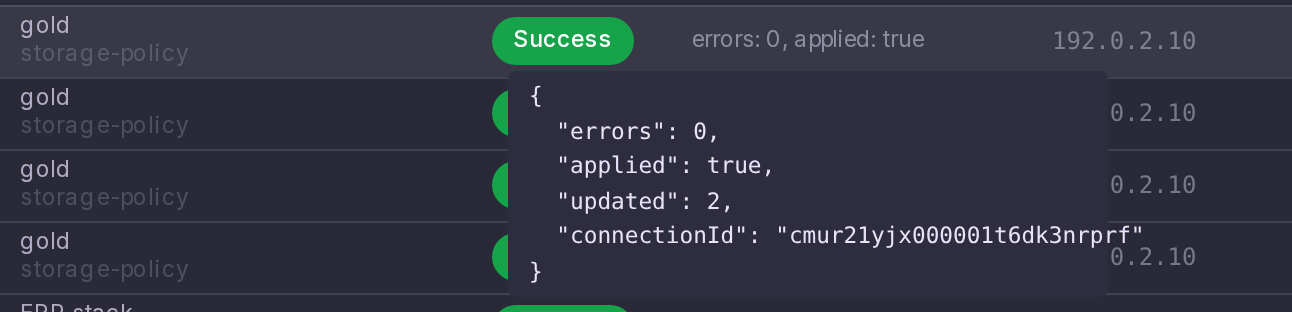
The CSV contains Date, User, Action, Category, Resource, Status and IP for the currently loaded page. It does not include the Details payload or every page of matching results, and there is no JSON-format chooser. Open an entry's Details tooltip in the grid when you need its additional context.
Forwarding to a Syslog Server or SIEM
Enterprise installations can push every audit entry, as it is written, to one or more syslog collectors: rsyslog, syslog-ng, Splunk, Graylog, Wazuh, Microsoft Sentinel, QRadar or any other SIEM with a syslog input. Each line carries the real ProxCenter user behind the action, which raw Proxmox logs cannot provide since every call reaches Proxmox through the same API user. Retention, search and alerting then happen in your SIEM. ProxCenter does not currently purge its own audit table (see Log Retention), so enforce the retention period your security policy requires in the SIEM.

Destinations are managed in Settings > Syslog / SIEM, a tab that only appears on Enterprise installations, for a super administrator of the provider tenant. Up to 20 destinations can receive the feed at the same time.

| Setting | Options |
|---|---|
| Transport | UDP (no delivery confirmation, lines truncated at 8 KiB), TCP, or TLS with verification of the collector certificate |
| Format | RFC 5424 with structured data (default), RFC 3164 for legacy BSD collectors, or CEF for ArcSight, Sentinel and QRadar |
| Framing | For TCP and TLS: newline delimited (Splunk, Graylog, rsyslog) or octet counting (RFC 5425, syslog-ng) |
| Facility | log audit (13) by default, auth, authpriv, user or local0 to local7 |
| Categories | Forward every category, or only some (authentication, security, users...) |
| TLS | Optional CA certificate in PEM form, optional server name for collectors reached by IP address |
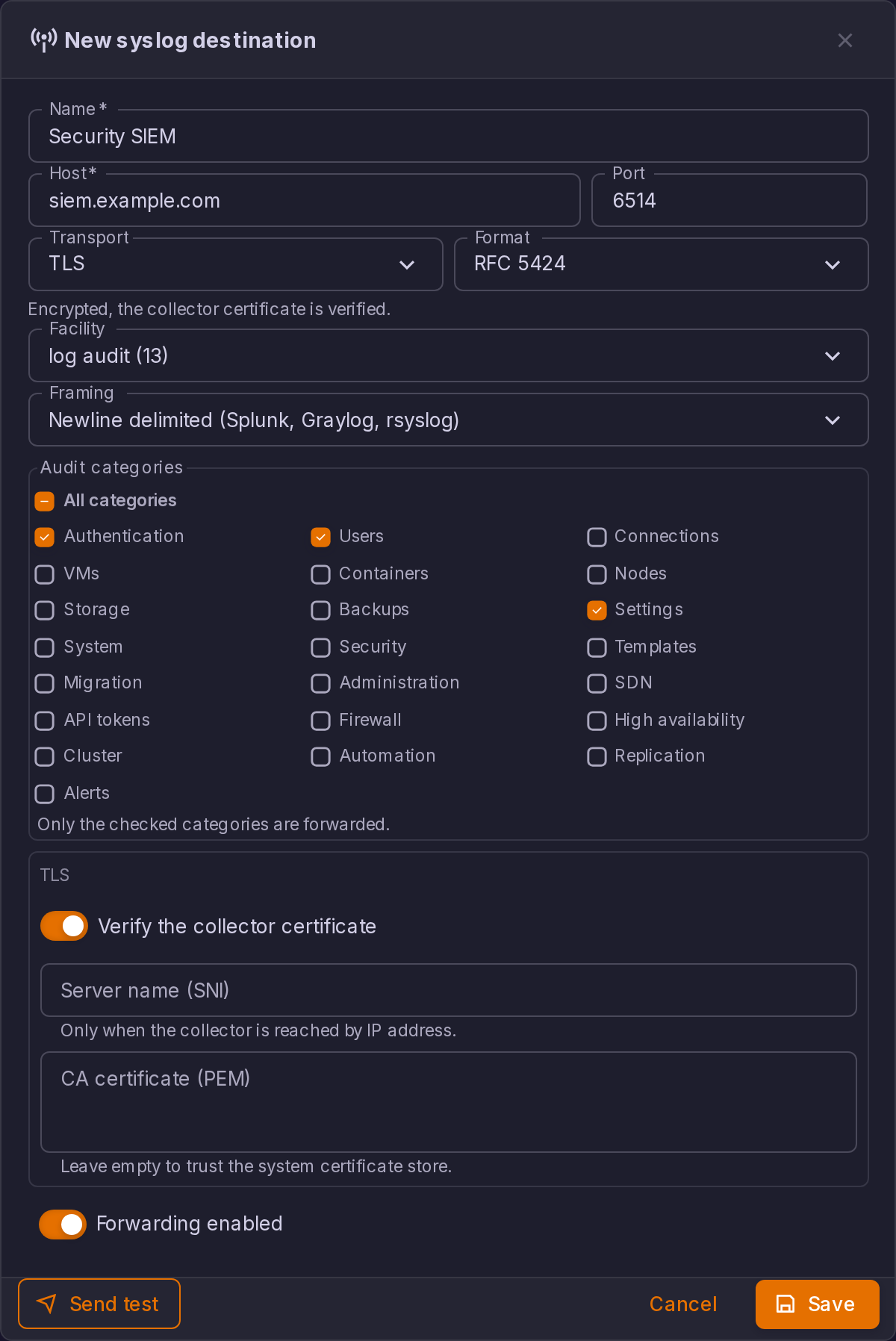
Send test delivers one synthetic entry to the destination before it is saved and shows the rendered line, so you can check the dialect against your collector.
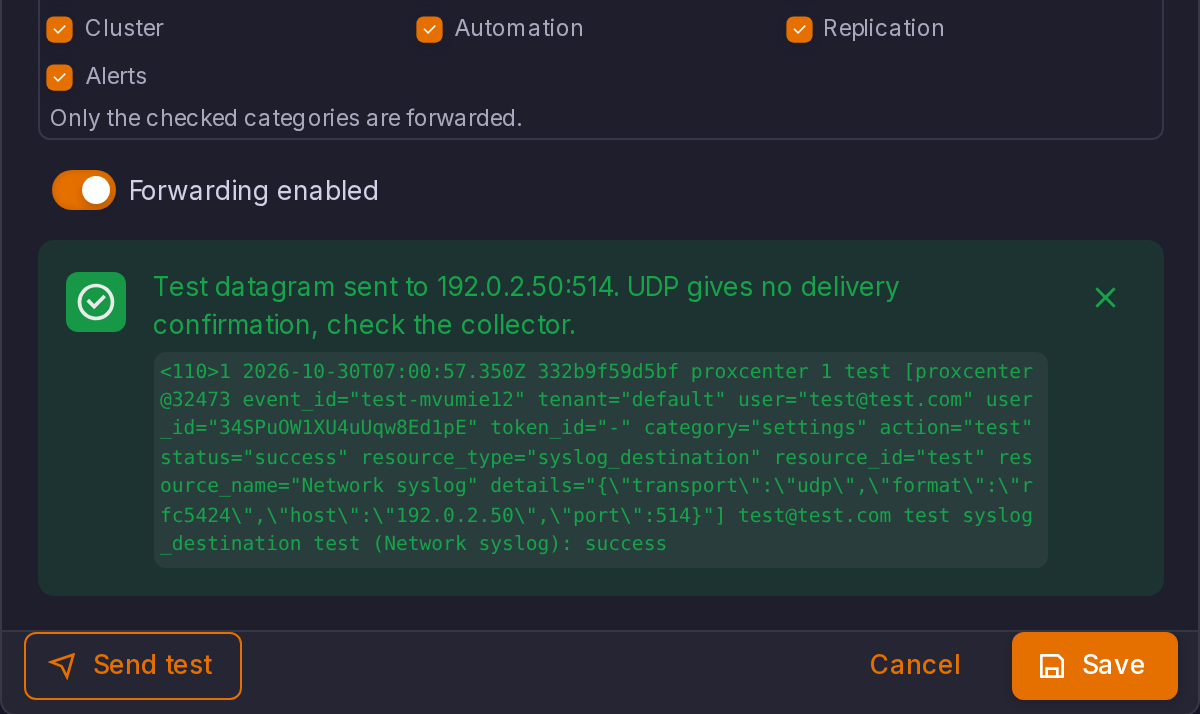
Each line carries the following fields, as RFC 5424 structured data ([proxcenter@32473 ...]), as key="value" pairs in RFC 3164, or as CEF extensions: the audit entry id, the tenant, the user email and id or the API token id, the category, the action, the status, the resource type, id and name, the client IP address and user agent, the error message when there is one, and the action details as JSON.
<110>1 2026-09-17T10:04:03.829Z proxcenter-01 proxcenter 4211 start [proxcenter@32473 event_id="kM8oPZt2" tenant="default" user="[email protected]" user_id="u_9f2" token_id="-" category="vms" action="start" status="success" resource_type="qemu" resource_id="101" resource_name="web-01" ip="10.0.0.12"] [email protected] start qemu 101 (web-01) from 10.0.0.12: success
Forwarding never delays or blocks the action being audited. While a TCP or TLS collector is unreachable, up to 1,000 lines are held in memory and delivered on reconnect; older lines are dropped and counted, and the card shows the last error and the drop counter for each destination.
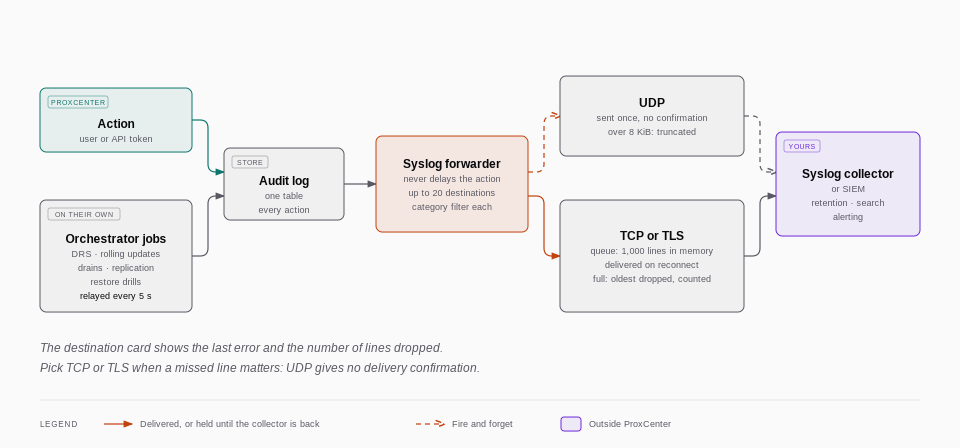
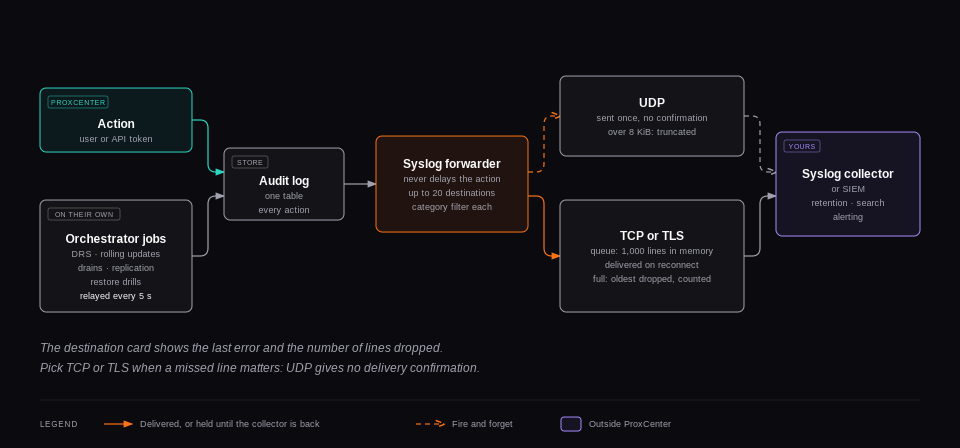
The audit log records the actions performed through ProxCenter. Jobs the orchestrator runs on its own (replication cycles, DRS moves) are not audit entries and are not forwarded.
Permissions
Access to Audit Logs requires the following RBAC permission:
| Permission | Description |
|---|---|
admin.audit | View and export audit log entries |