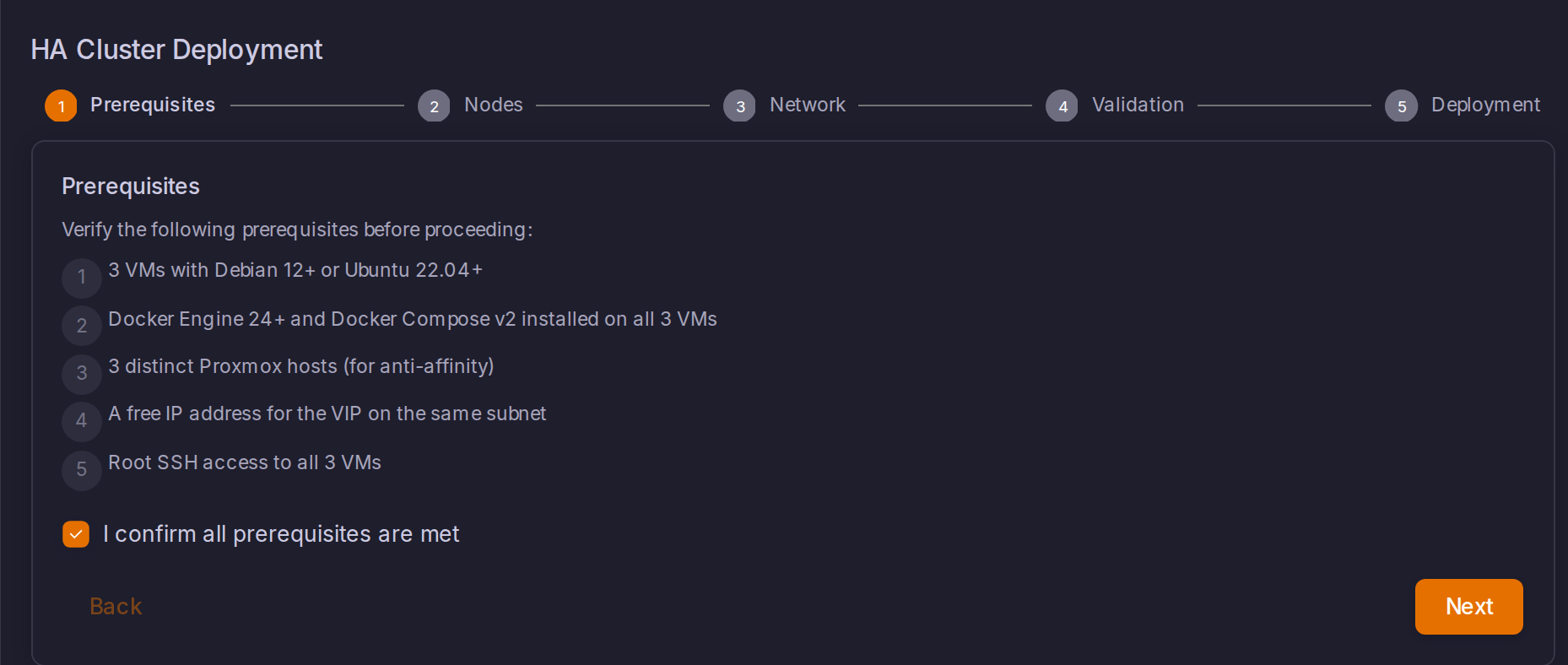
HA Prerequisites
Requirements for converting a ProxCenter installation into a 3-node high-availability cluster. The conversion itself is driven by the wizard in Settings, High Availability tab.
License and access
An Enterprise license alone does not enable HA conversion. Activate the ProxCenter HA add-on in Settings > License before opening the wizard in Settings > High Availability. The High Availability settings tab is shown only to super administrators in the provider tenant. Reading or changing the HA configuration requires admin.settings.

Hardware
- 3 distinct Proxmox hosts (anti-affinity: no two ProxCenter VMs on the same physical host). Three VMs on one host do not satisfy this failure-isolation requirement.
- Recommended per VM: 4 vCPU, 8 GB RAM, 50 GB disk
No watchdog device is required. The HA stack runs Patroni with
watchdog: off; split-brain protection comes from etcd quorum plus strict synchronous replication, and the keepalived track_script sheds the VIP of any node whose database becomes unreachable.
Network
- L2 connectivity between all 3 VMs (same VLAN or bridged subnet)
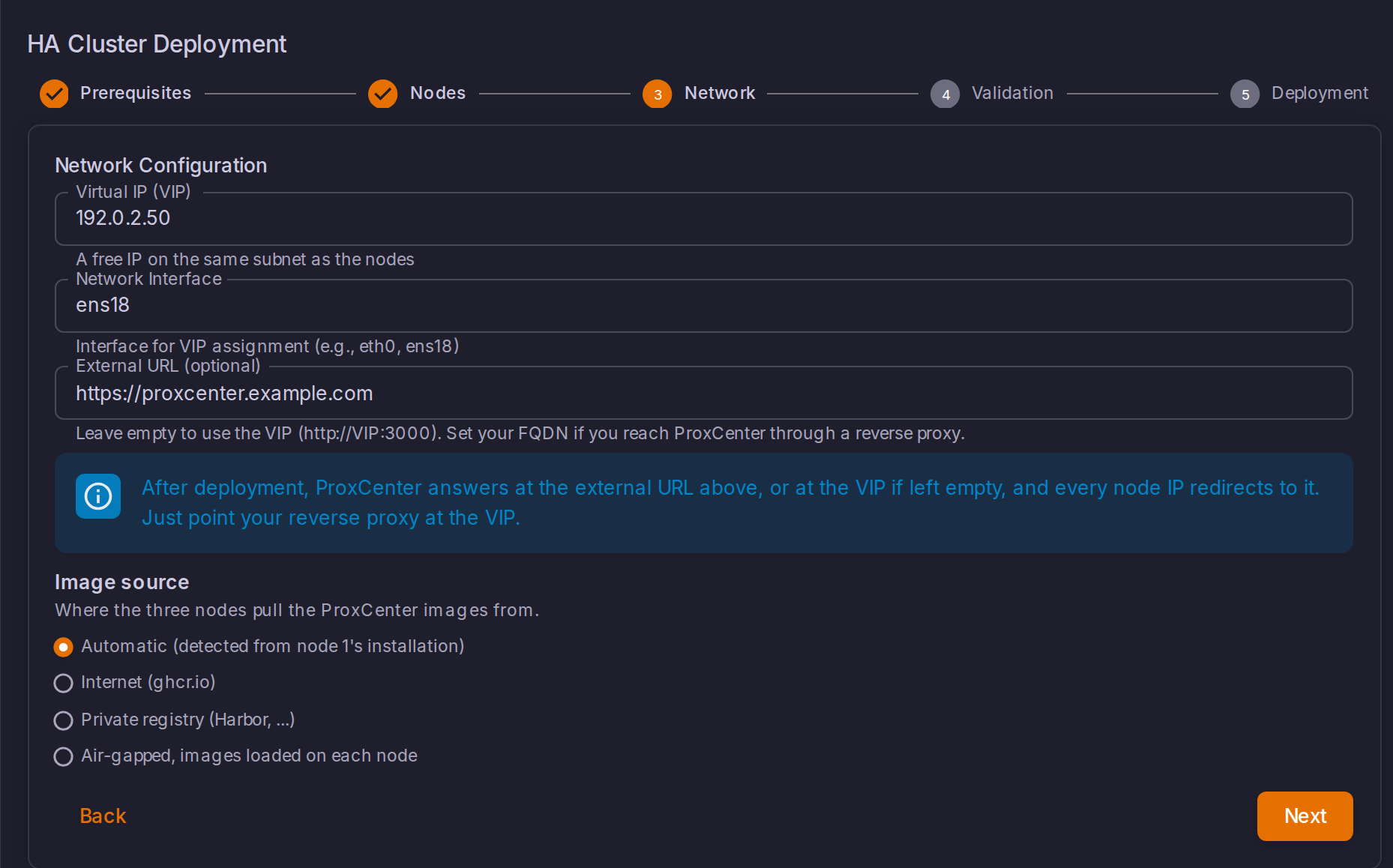
- 1 free IP for the Virtual IP (VIP), on the same subnet as the 3 node IPs
- No multicast requirement (Keepalived uses unicast VRRP)
- Firewall rules between the 3 nodes:
| Port | Protocol | Purpose | Checked by pre-flight |
|---|---|---|---|
| 2379 | TCP | etcd client | yes (connect test node to node) |
| 2380 | TCP | etcd peer | yes (connect test node to node) |
| 3000 | TCP | Frontend (HTTP) | yes (local listener collision) |
| 5432 | TCP | PostgreSQL (Patroni replication) | yes (connect test + collision) |
| 8008 | TCP | Patroni REST API | yes (connect test + collision) |
| 8080 | TCP | Orchestrator API, and the leader proxy of each node reaching the two peers | yes (local listener collision) |
| 112 | VRRP (IP proto) | Keepalived VRRP | no (verify manually) |
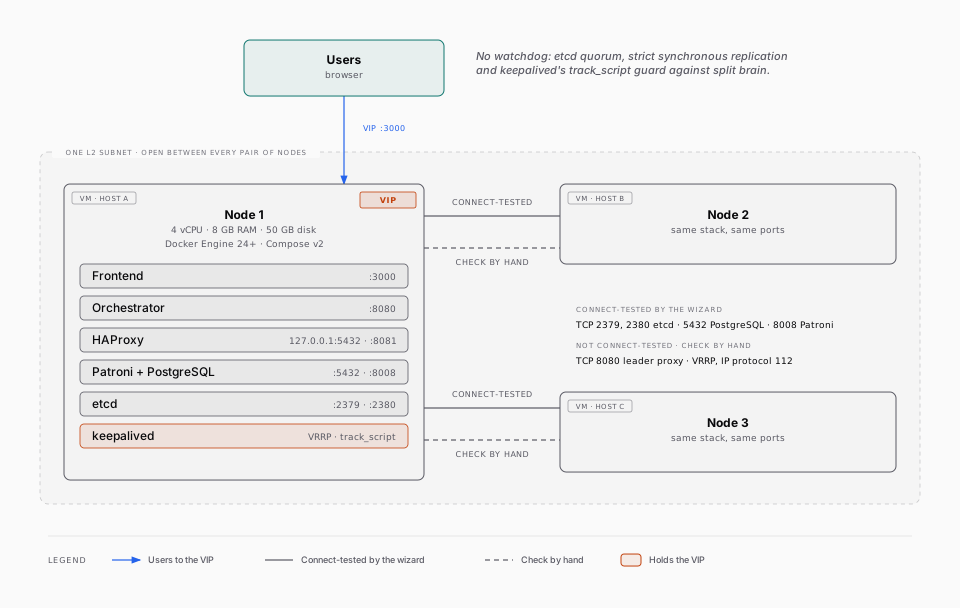
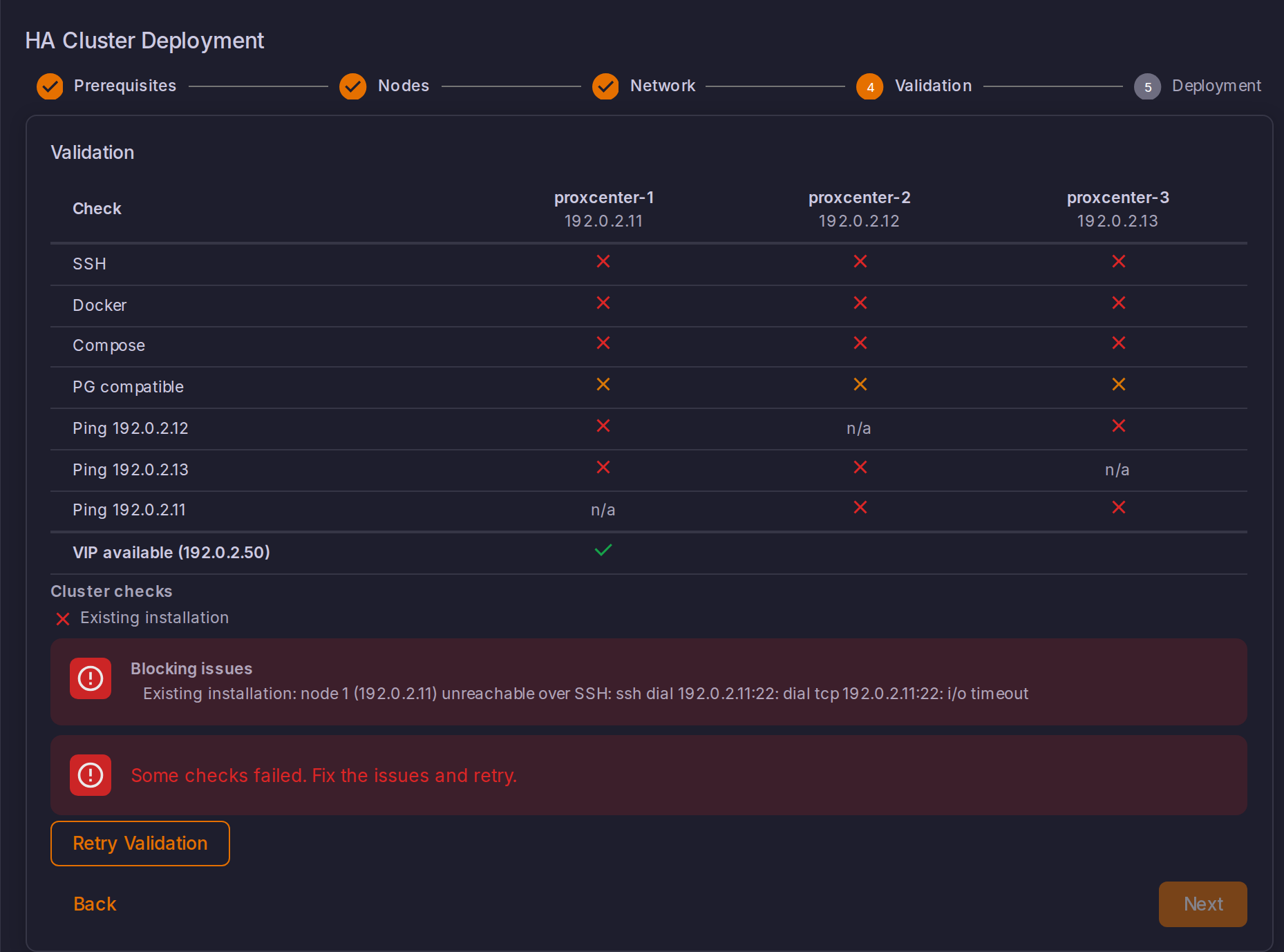
The wizard's validation step ENFORCES the TCP matrix: every node must reach both peers on 5432, 8008, 2379 and 2380, and no foreign process may already listen on 5432, 8008, 2379, 2380, 3000 or 8080 (the existing ProxCenter stack's own listeners are expected and excluded). A failed check blocks the deployment with a per-node remediation message.
Security note: etcd stores the Patroni DCS state including cluster topology. Ports 2379/2380/8008 MUST be firewalled to allow traffic only between the 3 cluster nodes. On each node:
Registry access (egress)
Every image in the HA stack is pulled from ghcr.io; nothing is built on
the nodes. Outbound HTTPS (443) to ghcr.io (and its storage backend,
*.githubusercontent.com) is the ONLY egress the conversion needs:
| Image | Source |
|---|---|
ghcr.io/adminsyspro/proxcenter-frontend | ProxCenter (private) |
ghcr.io/adminsyspro/proxcenter-orchestrator | ProxCenter (private) |
ghcr.io/adminsyspro/proxcenter-weasyprint | ProxCenter (private) |
ghcr.io/adminsyspro/proxcenter-patroni | ProxCenter (private) |
ghcr.io/adminsyspro/proxcenter-keepalived | ProxCenter (private) |
ghcr.io/adminsyspro/etcd:v3.5.17 | mirror of quay.io/coreos/etcd |
ghcr.io/adminsyspro/haproxy:2.9-alpine | mirror of docker.io haproxy |
The private images require authentication: keep GHCR_TOKEN (and optionally
GHCR_USERNAME) in node 1's .env. The wizard reads it there, runs
docker login ghcr.io on nodes 2 and 3 automatically, and the validation
step verifies every image manifest is pullable from every node BEFORE any
destructive step runs. A missing token or unreachable image fails validation
with the image and node named.
Air-gapped sites need no egress at all: the Enterprise air-gapped bundle
carries the HA images, loaded on each node with install-airgap.sh load or
pulled from your internal registry. See
Air-gapped installation: High-availability control plane.
Software
- Docker Engine 24+ and Docker Compose v2 on all 3 nodes
Secrets
All 3 nodes must share identical secret values. For in-place conversions (existing single-node), the wizard preserves and distributes node 1's existing .env values automatically. Only generate fresh values for greenfield (new) installs:
# GREENFIELD ONLY - generate once, copy to all 3 nodes' .env files:
openssl rand -base64 32  # NEXTAUTH_SECRET
openssl rand -base64 32  # APP_SECRET
openssl rand -hex 32     # ORCHESTRATOR_API_KEY
openssl rand -base64 32  # POSTGRES_PASSWORD
WARNING: For in-place conversions, node 1's existing
APP_SECRETMUST be reused. It encrypts stored connection credentials; generating a new one makes all stored Proxmox/SSH credentials unreadable. The wizard handles this; only manual deployments need to copy it by hand.
Upgrading a cluster deployed before v1.4.9
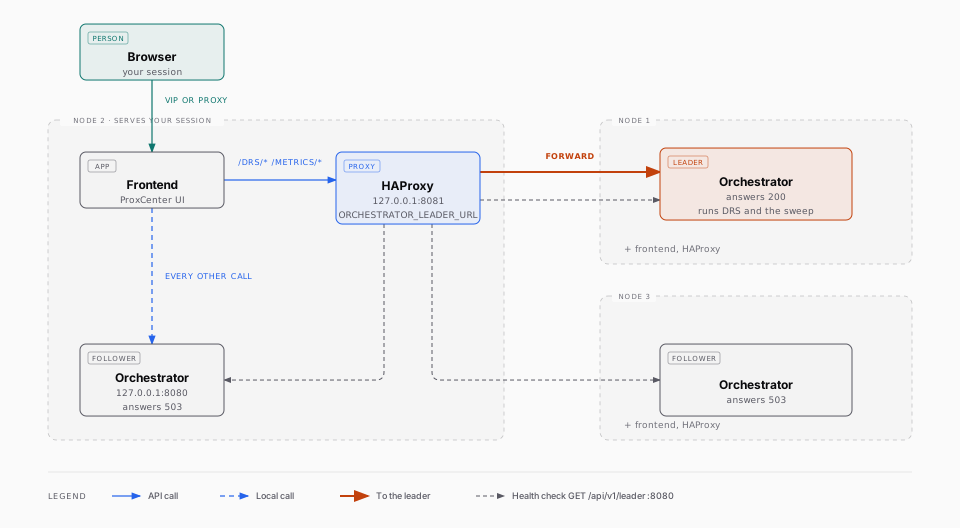
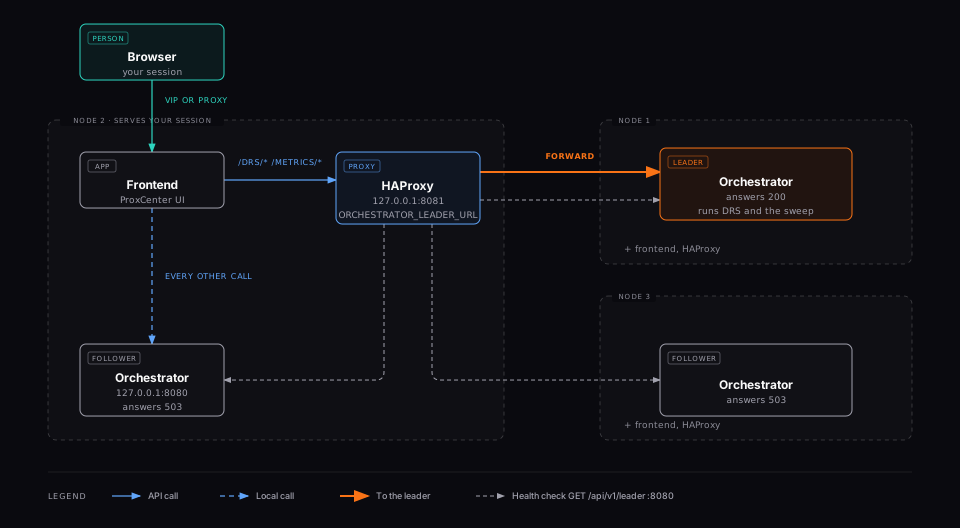
Since v1.4.9 the frontend sends DRS metrics and recommendations to the orchestrator that currently leads the cluster, whichever node holds the VIP. This relies on two things written by the deployment templates: a leader frontend in HAProxy on 127.0.0.1:8081, health-checked on GET /api/v1/leader, and the ORCHESTRATOR_LEADER_URL variable on the frontend service. A cluster converted before v1.4.9 does not receive them from an image pull, since its haproxy.cfg and docker-compose.ha.yml were rendered once at deployment. Nothing breaks without them: the DRS page keeps its v1.4.8 behaviour and may read No cluster connected on a node that is not the leader.
After pulling the v1.4.9 images, apply the two edits on each of the three nodes.
- Append the leader proxy to
/opt/proxcenter/config/ha/haproxy.cfg. Keep thePEER1_IP,PEER2_IPandPEER3_IPplaceholders as written: the container substitutes them from its environment at start.
frontend orch_leader_frontend
    bind 127.0.0.1:8081
    default_backend orch_leader_backend

backend orch_leader_backend
    option httpchk GET /api/v1/leader
    http-check expect status 200

    default-server inter 1s fall 2 rise 1 on-marked-down shutdown-sessions

    server proxcenter-1 PEER1_IP:8080 check
    server proxcenter-2 PEER2_IP:8080 check
    server proxcenter-3 PEER3_IP:8080 check
- Add the variable to the
environmentblock of thefrontendservice in/opt/proxcenter/docker-compose.ha.yml, next toORCHESTRATOR_URL:
ORCHESTRATOR_LEADER_URL: http://127.0.0.1:8081
- Recreate the two containers, always naming the HA compose file:
cd /opt/proxcenter
docker compose -p proxcenter -f docker-compose.ha.yml up -d --force-recreate --no-deps haproxy frontend
Check from any node that curl -s -o /dev/null -w '%{http_code}' http://127.0.0.1:8081/api/v1/leader answers 200: HAProxy is forwarding to the current leader. Port 8080 must be open between the three nodes for this proxy, see the firewall table above.
TLS and external URLs (optional)
ProxCenter listens on HTTP port 3000. TLS termination is the administrator's responsibility (reverse proxy in front of the VIP). Installs already fronted by a reverse proxy / FQDN / OIDC keep their external URL through the conversion: see HA Reverse Proxy and FQDN.
Backup
Backup and PITR are the administrator's responsibility. Patroni manages replication but does NOT manage backups. The conversion writes a one-time safety dump to /opt/proxcenter/backup-pre-patroni.sql, which is NOT a backup strategy. Recommended:
pg_basebackupcron job from one replica- WAL archiving to external storage (pgBackRest or pg_probackup)
- Test restore procedure before going live