Datacenters & Green IT
ProxCenter can model the physical datacenters that host your Proxmox infrastructure and use that context to calculate energy, cost, and CO2 estimates for VMs and vDCs.
This is useful for MSPs and platform teams that operate infrastructure across multiple sites with different power costs, PUE values, and carbon intensity.
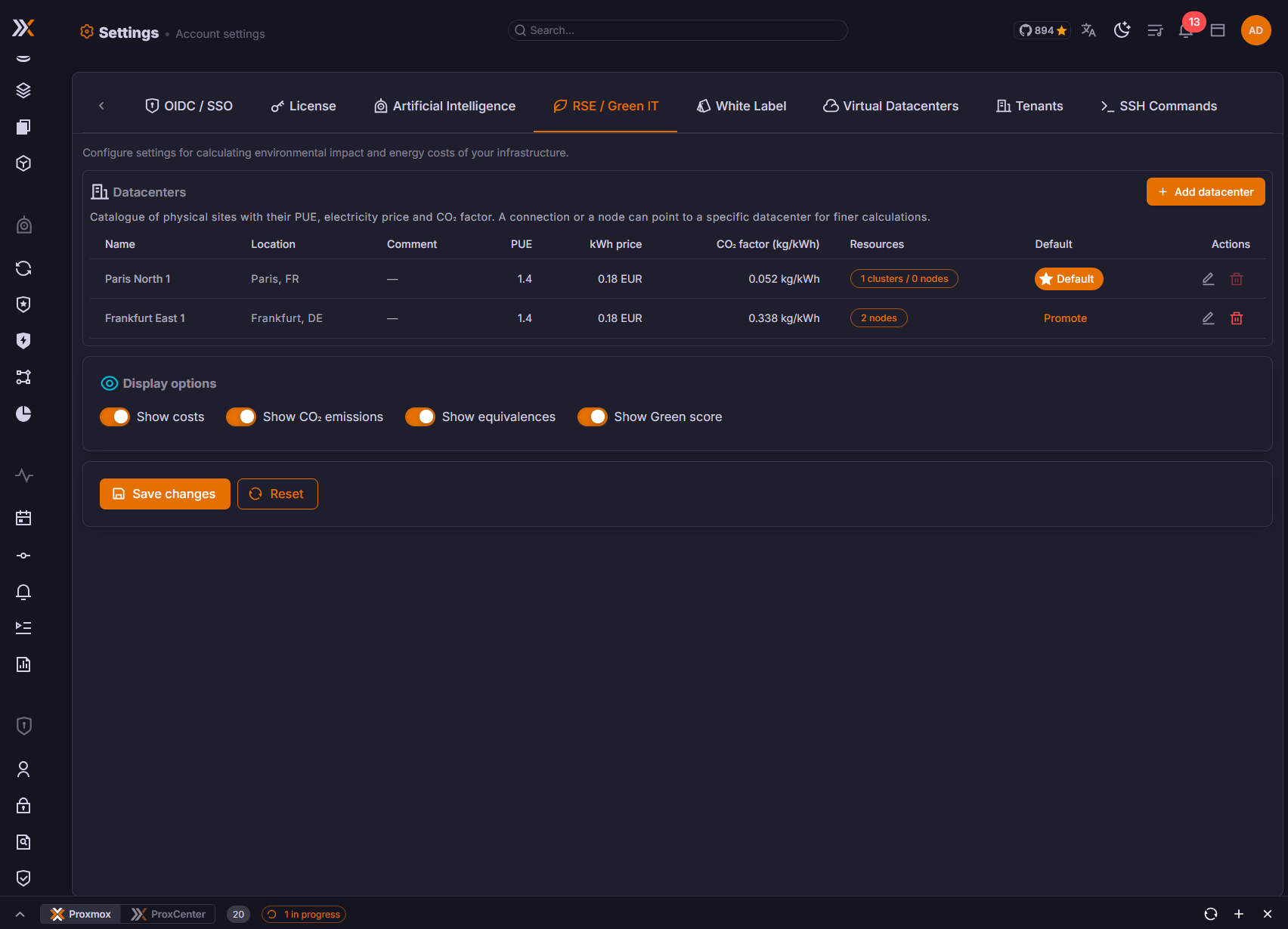
Datacenter Configuration
As a super administrator on the provider tenant, open Settings > RSE / Green IT (Enterprise, Green Metrics). Under Datacenters, click Add datacenter. Enter the site name and its energy and emissions factors, then save. Use Edit on an existing row to change its factors or assignments.
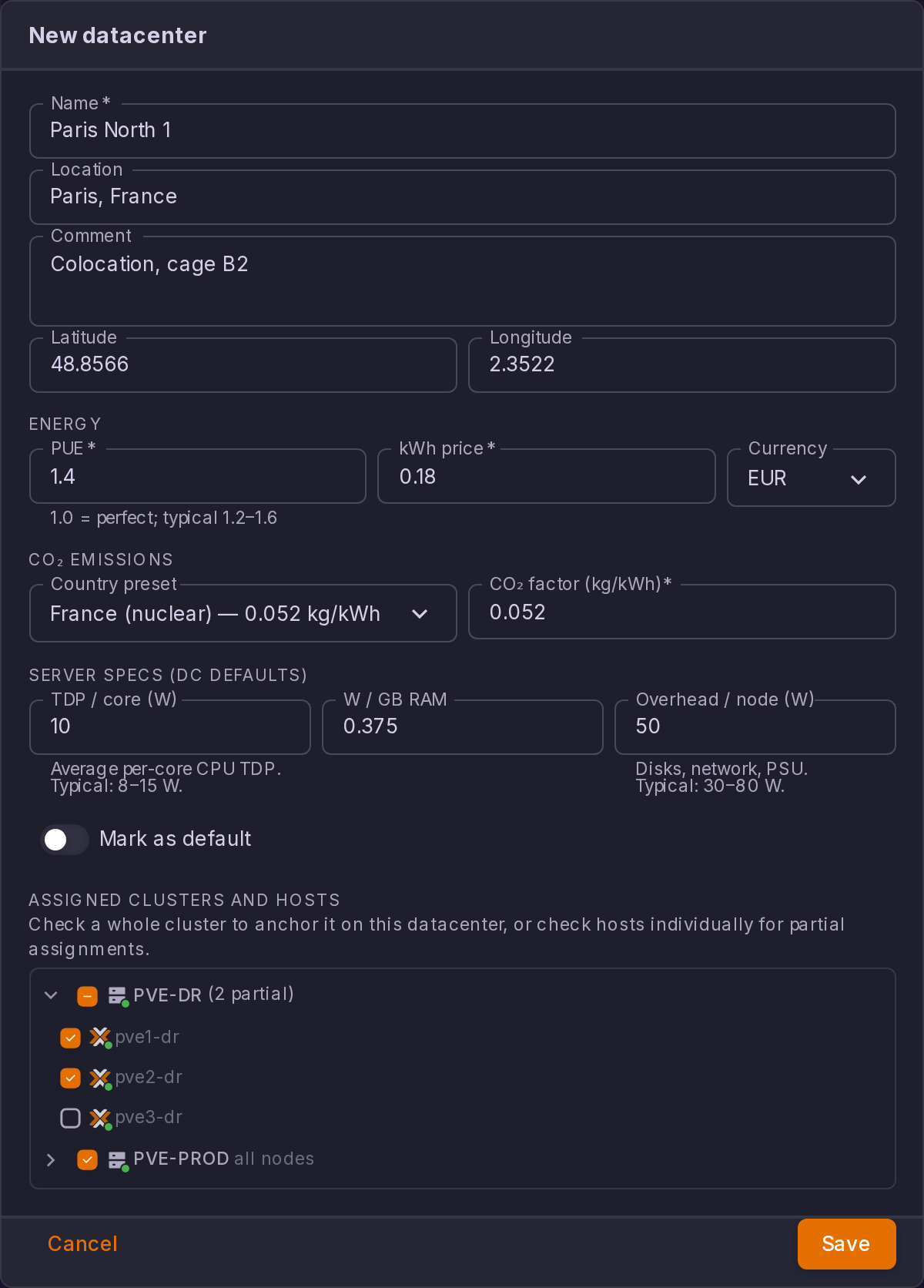
Each datacenter profile can define:
| Field | Description |
|---|---|
| Name | Human-readable datacenter or site name |
| Location | City, region, or internal site identifier |
| Latitude / Longitude | Optional map coordinates for the physical site |
| PUE | Power Usage Effectiveness used to estimate facility overhead |
| kWh price / Currency | Price per kilowatt-hour and the currency used for cost estimates |
| Country preset / CO2 factor (kg/kWh) | Preset or manually entered emissions factor used for carbon estimates |
| Server specs (DC defaults) | TDP per CPU core, watts per GB of RAM and overhead watts per node |
| Comment | Free-form notes, such as the operator, contract or contact |
In Assigned clusters and hosts, select a whole cluster or individual hosts. Mark as default chooses the fallback site for resources with no more specific assignment. A default datacenter cannot be deleted.
Assignment Levels
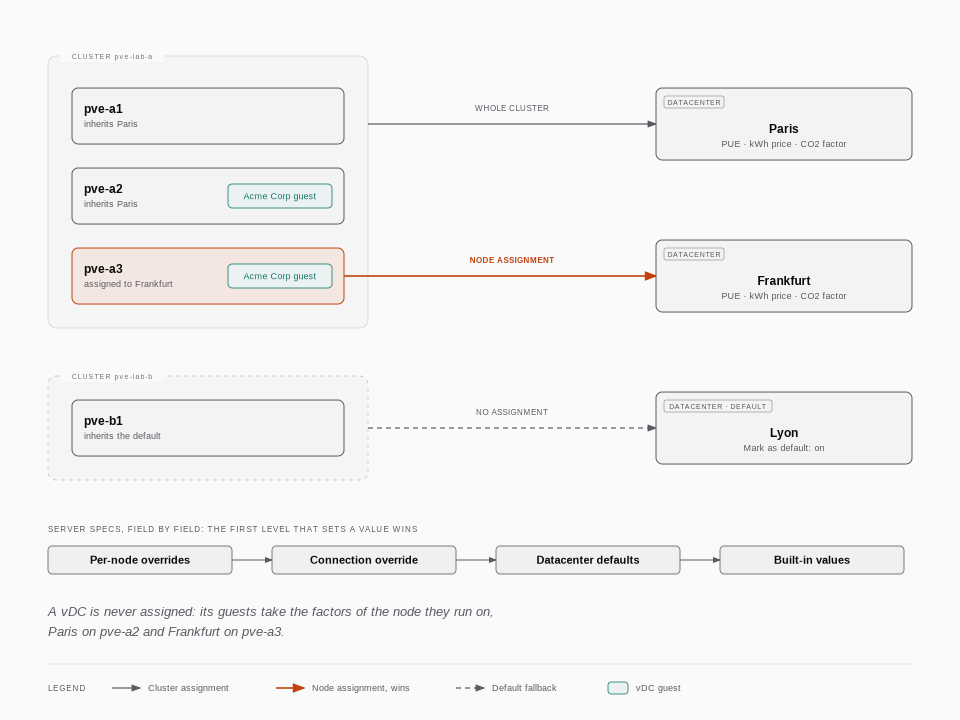
Assignments can be made at multiple levels:
- Cluster -- Applies the datacenter profile to every node in the cluster unless overridden.
- Node -- Overrides the cluster assignment for a specific physical host.
- Default datacenter -- Supplies the fallback when neither the node nor its connection names a site.
Use node-level assignment when a cluster spans physical sites or when different hosts have materially different power characteristics.
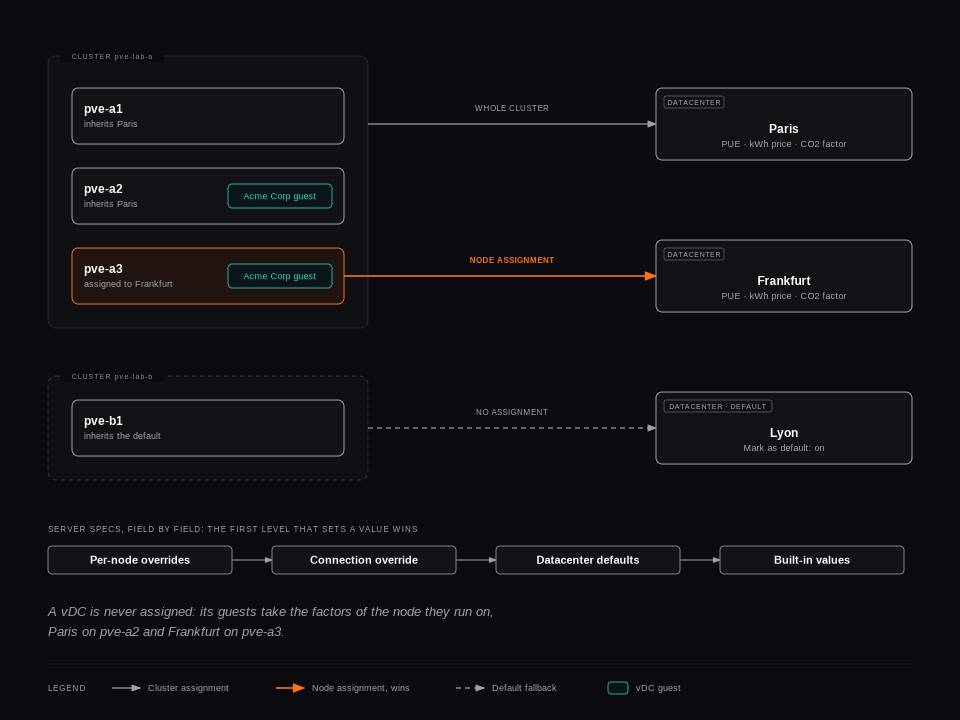
Server specifications resolve from node overrides, then connection overrides, then the selected datacenter's defaults. A vDC's workloads inherit the factors of the nodes where they run; the datacenter assignment form selects clusters and hosts, not vDCs.
VM Green Score
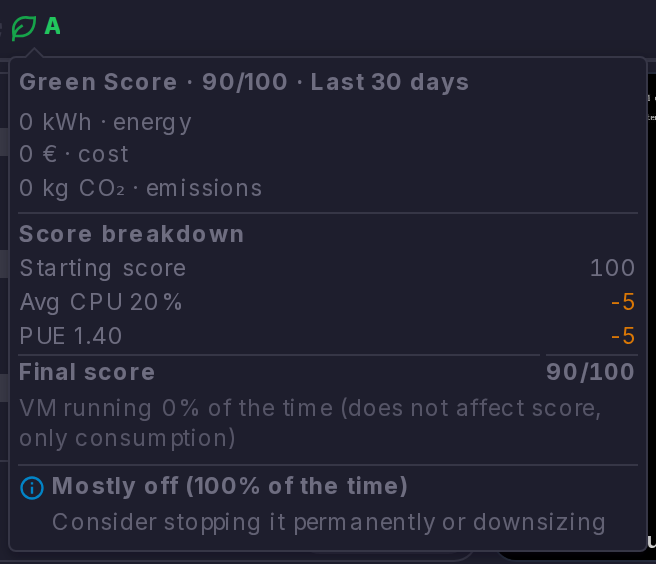
The Inventory page shows a per-VM Green Score in the VM header. It summarizes the last 30 days of estimated:
- Energy consumption
- Electricity cost
- CO2 emissions
- Efficiency score and score deltas
Hovering the score opens a breakdown with CPU average, datacenter PUE, and one actionable insight. Examples include idle CPU, oversized RAM, mostly stopped workload, or placement in an efficient datacenter.
Tenant and vDC Metrics
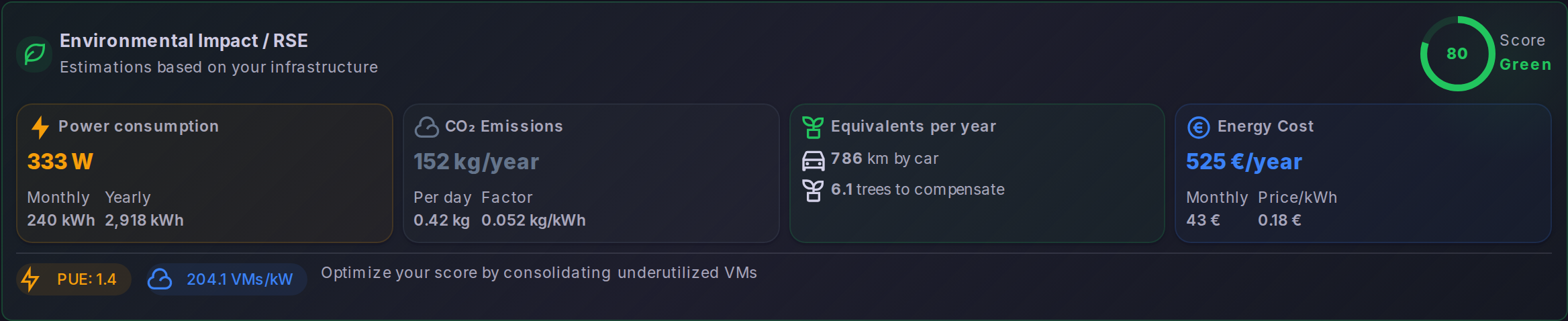
Tenant users see Green IT KPIs in My vDC for their assigned environment. Provider administrators can compare tenants, vDCs, clusters, and datacenters from the provider view and include this data in reports.

Green IT metrics follow the same tenant isolation model as inventory and backups: tenants only see their own vDC, while provider administrators can aggregate across tenants.
Reports
Reports can include datacenter and Green IT sections for:
- Capacity and consumption over the selected period
- Estimated energy cost
- Estimated CO2 emissions
- Per-vDC or per-tenant breakdowns
- Placement recommendations based on datacenter efficiency
Green IT metrics are operational estimates based on configured datacenter factors and observed workload behavior. They are intended for capacity planning, customer reporting, and optimization, not as a certified utility meter.