Cross-Cluster Migration
ProxCenter tracks progress for offline cross-cluster VM moves between Proxmox environments. Progress updates are reported in the UI so operators can distinguish long-running disk transfer from stalled operations.
When migrating to another cluster, you can target a specific VMID on the destination. VLAN tags on migrated network interfaces are preserved when the target bridge supports the same network design.
Prerequisites Cleared from the Dialog
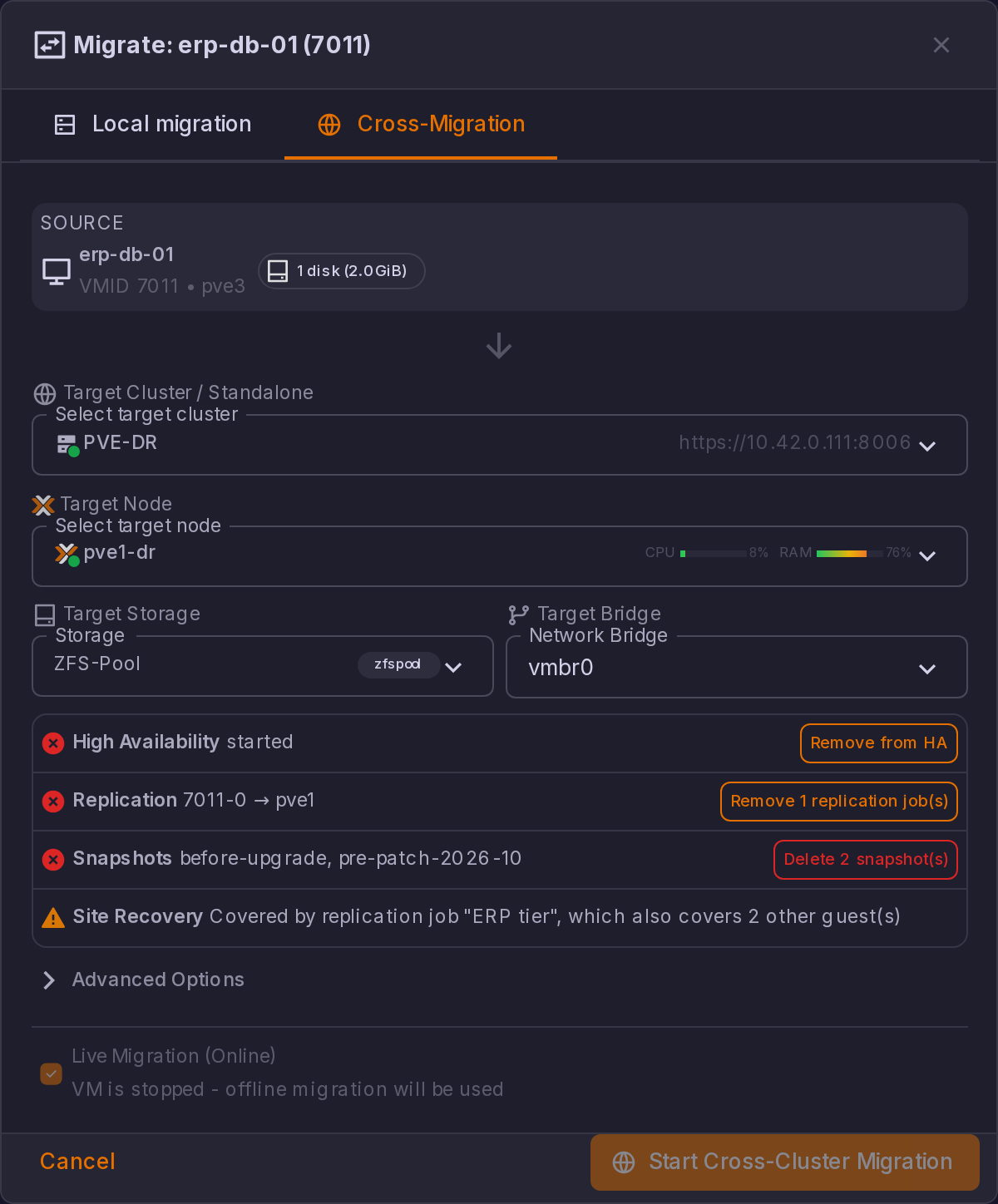
Proxmox refuses to remote-migrate a guest that is HA-managed, that a replication job covers, or that carries snapshots.
All three are read from the source when the Cross-Migration tab opens, listed as prerequisite rows next to the other checks, and cleared from the dialog itself:
| Prerequisite | What the dialog offers |
|---|---|
| High Availability | Remove from HA |
| Replication | Remove N replication job(s), the Proxmox pvesr jobs, which Proxmox binds to exactly one guest each |
| Snapshots | Delete N snapshot(s), behind its own Delete snapshots permanently? confirmation |
| Site Recovery | A warning only, with no button. A Site Recovery job can cover several guests at once, so deleting it for this one would stop replicating the others. The row names the job and the other guests it carries, and asks you to remove this guest from the job, or retarget the job, after the migration |
What was lifted is put back afterwards. A Re-apply HA and replication on the target cluster switch carries the fields the target needs, HA state on target, Replicate to node, Replication schedule and Rate limit (MB/s), and the panel states the other half of the contract: "If the migration fails, HA and replication are put back on the source automatically." That also covers a run that times out.
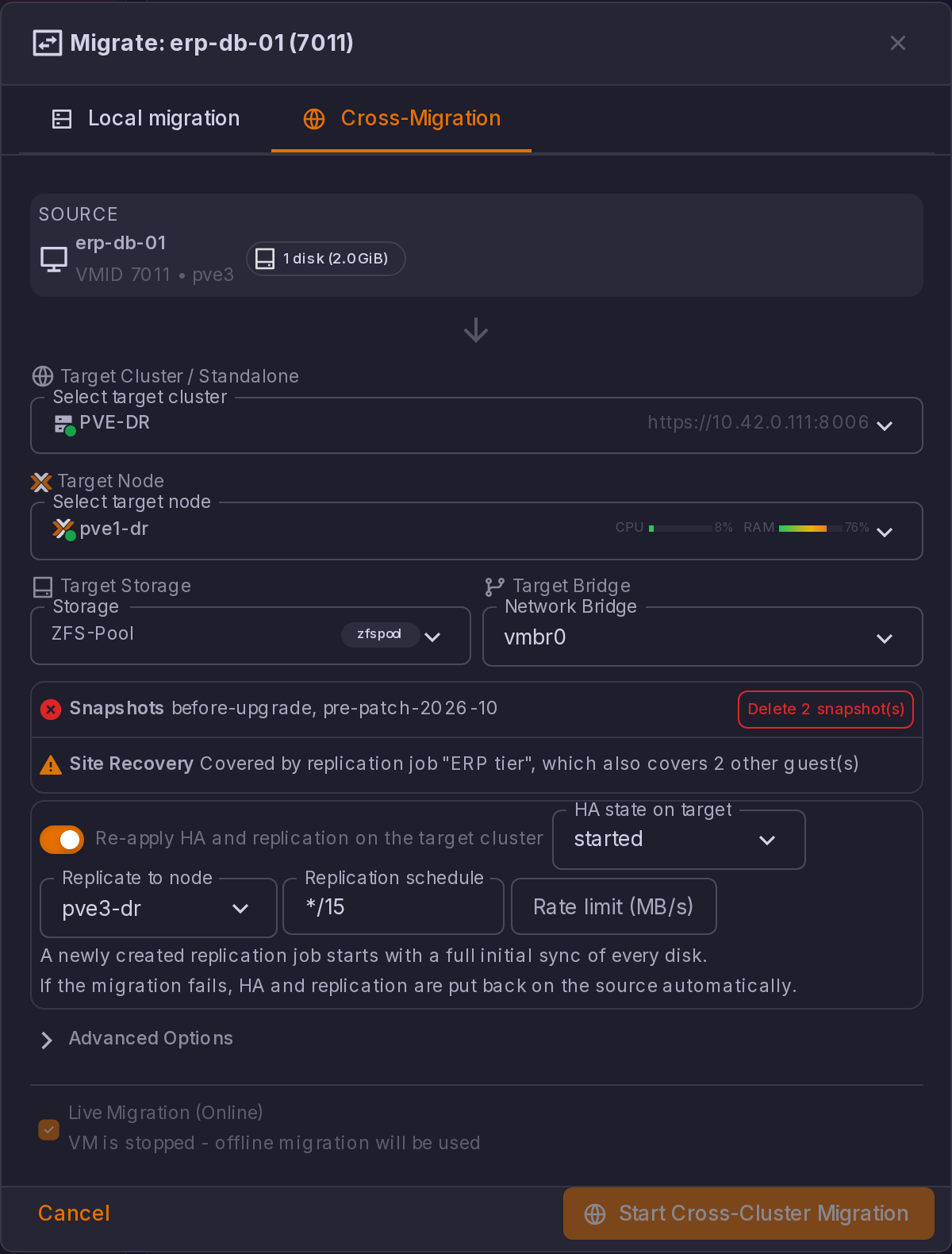
Snapshots are the one thing that is not restored: a Proxmox snapshot is a point in the source volume's history and does not survive a cross-cluster move, which is exactly why Proxmox refuses the migration while one exists.
Pre-migration checks
Moving a guest between Proxmox nodes or clusters is driven from the VM's Migrate dialog, which runs a set of checks before it lets the move start. Two of them are described here.
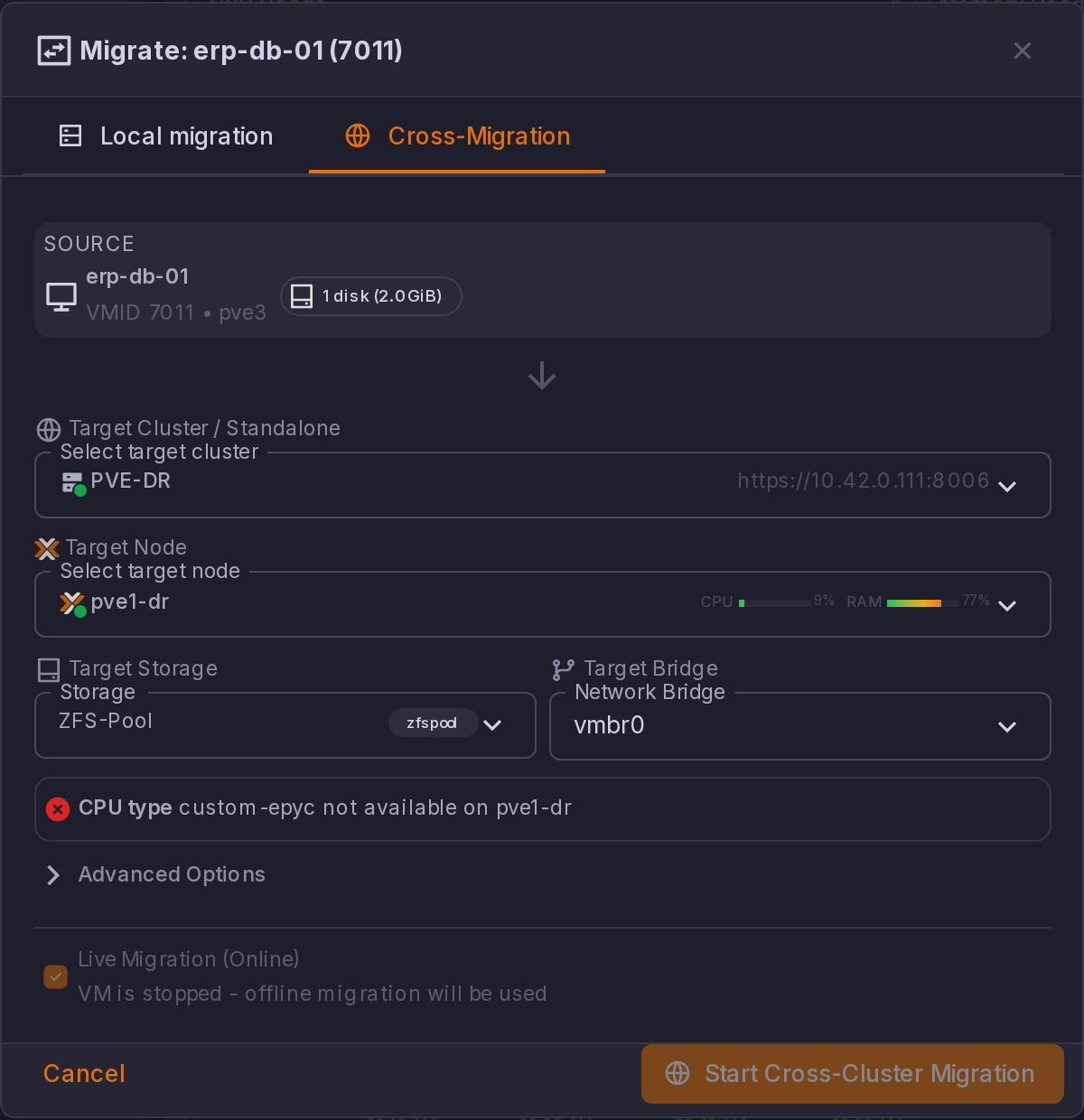
CPU type on the destination cluster (cross-cluster tab). The pre-check reads the QEMU capabilities of the target node and compares them with the VM's configured CPU type. When the type is not reported by the target, the check fails with CPU type "<name>" is not available on target node "<node>". Custom CPU models get their own explanation, because they are cluster-local: a custom- model is defined in /etc/pve/virtual-guest/cpu-models.conf on each cluster, so a model that exists on the source is invisible to the destination unless it was defined there too. The check tells you to define the same model on the target cluster or to switch the VM to a built-in CPU type before migrating. If the capabilities cannot be read at all, the result is a warning rather than a blocking error. host and max are not checked, since they are resolved by the destination node itself.
Custom CPU models are also offered in the CPU type selects, so a VM already using one shows it when you open its hardware settings.
HA resource affinity rules (node selection). When the cluster defines HA affinity rules, the node list flags every node that would violate a negative ("keep separated") rule with a red shield icon and the tooltip "Negative HA affinity with <peers>". Selecting such a node shows a conflict panel:
| Situation | Severity | What ProxCenter does |
|---|---|---|
| The peer that must stay separated is running on the selected node | Error, PVE will reject this migration: ... | The migrate button is disabled, since the HA manager would refuse the move anyway |
| The peer is assigned to that node but not running | Warning, ... The HA manager may still reject this migration. | The migration stays available, at your own risk |
| The VM is in a positive affinity rule ("kept together") | Information | A separate panel names the peers the HA manager will migrate along with this VM |
The recommended node also skips any node holding a running peer that must stay separated. The check reads the cluster's HA rules and HA status, and it fails open: a guest that is not HA managed, a Proxmox version without resource affinity rules, or an unreadable rules list produce no conflict and no block.