Calling the API
How a token authenticates a call, which endpoints it reaches, and the quotas that pace it.
Authenticating a call
Send the full secret as a bearer token. That is the only accepted form: there is no API key header, no query parameter, no cookie.
curl -fsS \
  -H 'Authorization: Bearer pxc_REPLACE_WITH_YOUR_TOKEN' \
  https://proxcenter.example.com/api/v1/public/health
No CORS header is emitted on these responses. The API is meant for server-to-server callers, not for a page running in a browser.
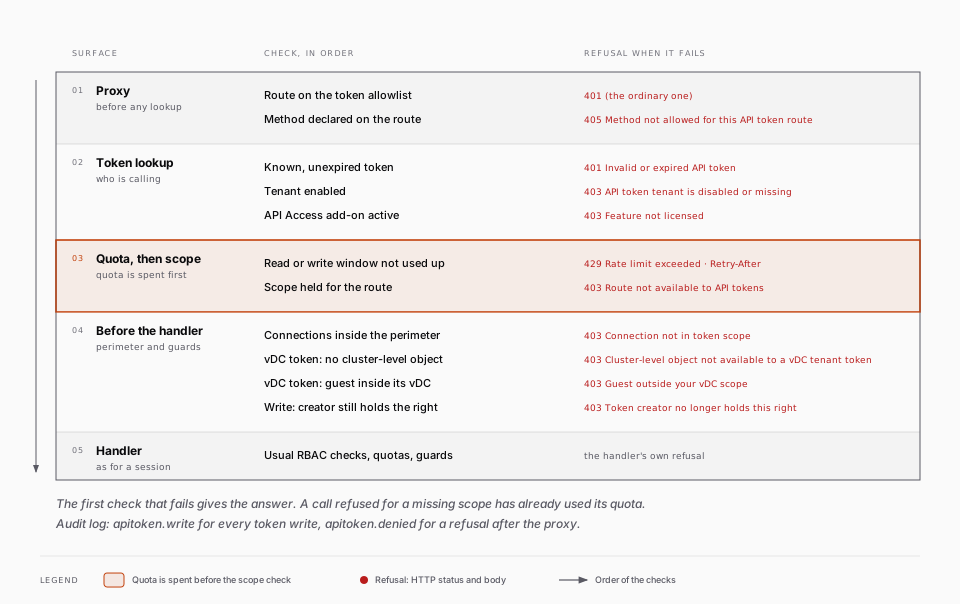
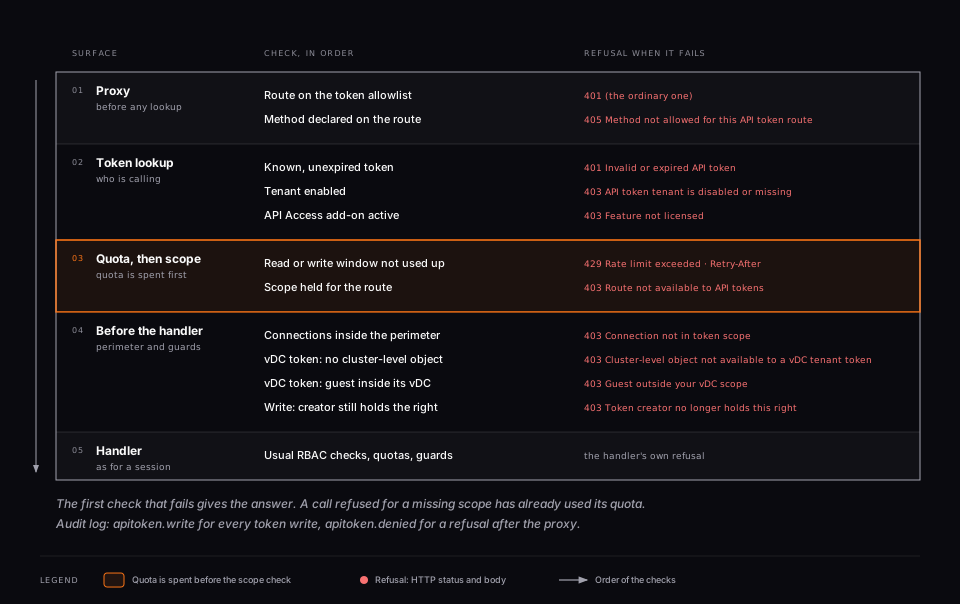
A refused call answers with one of the following:
| Status | Body | Cause |
|---|---|---|
401 | Invalid or expired API token | Unknown, deleted, revoked or expired token. Every case is answered identically on purpose, and a WWW-Authenticate: Bearer realm="proxcenter" header is returned |
403 | Route not available to API tokens | The token does not hold a scope the endpoint requires |
403 | Connection not in token scope | The connection named in the path is outside the token's perimeter |
403 | API token tenant is disabled or missing | The token's tenant was disabled or deleted |
403 | Feature not licensed | The API Access add-on is not active |
403 | Cluster-level object not available to a vDC tenant token | A vDC tenant token reached a cluster or node level object |
403 | Guest outside your vDC scope | A vDC tenant token named a guest that is not in its vDC |
403 | Token creator no longer holds this right | A write was refused because the creator lost the right, see Who can mint a write token |
405 | Method not allowed for this API token route | The method does not exist on this path. The Allow header lists the ones that do |
503 | Unable to verify token scope | The perimeter or scope lookup failed. The call is denied rather than let through, retry |
429 | Rate limit exceeded | The token's quota for the current minute is used up |
Endpoints
Seven monitoring endpoints are exposed, all GET. They are reachable with the read scopes listed in Scopes. The GET endpoints of the opened write routes (for example the guest config, the snapshot list or the HA groups) are also reachable with a read token, see Write endpoints:
| Endpoint | Scope | Returns |
|---|---|---|
/api/v1/public/health | any valid token | Application status plus per-connection reachability, filtered by tenant |
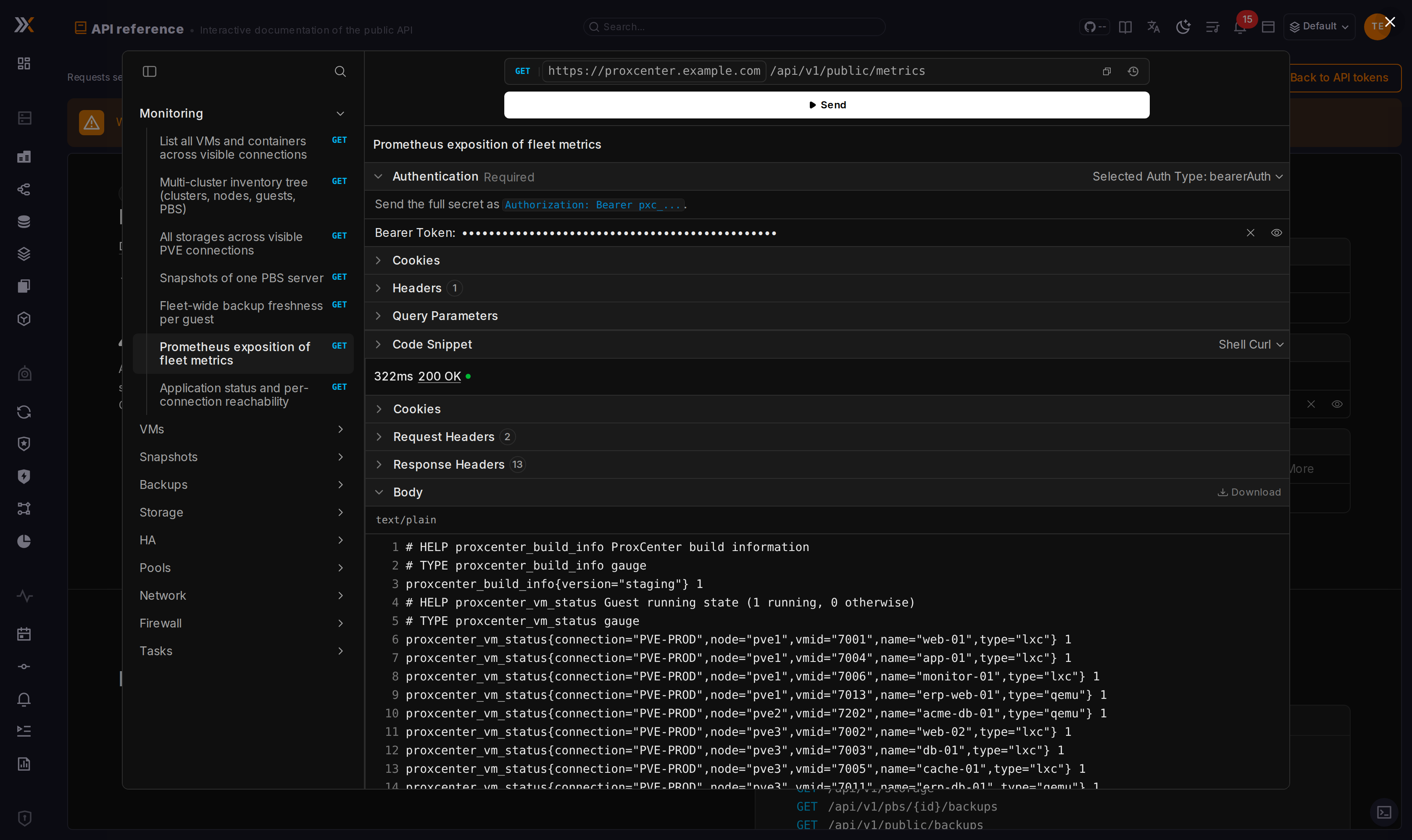
/api/v1/public/metrics | nodes:read, vms:read or backups:read | Prometheus text exposition of fleet metrics |
/api/v1/public/backups | backups:read | Fleet-wide backup freshness per guest: latest backup date, age in seconds, datastore, PBS server, size and verification state. Guests with no backup at all are listed with a null age |
/api/v1/vms | vms:read | Aggregated VM and container list with status, usage and config-derived fields |
/api/v1/inventory | nodes:read | Multi-cluster inventory tree: clusters, nodes, guests and PBS servers |
/api/v1/storage | storage:read | Every storage of the visible PVE connections, with capacity and usage |
/api/v1/pbs/{id}/backups | backups:read | Snapshots of one PBS server, every datastore and namespace, paginated |
Query parameters:
| Endpoint | Parameters |
|---|---|
/api/v1/vms | connId to restrict to one connection, include=agent to probe the QEMU guest agent on running VMs (about 7 times slower) |
/api/v1/inventory | refresh=true to force a blocking refresh instead of reading the shared cache |
/api/v1/pbs/{id}/backups | datastore, namespace (empty string for the root), type (vm, ct or host), page, pageSize, search |
In /api/v1/pbs/{id}/backups, {id} is a ProxCenter connection id. It is checked against the token's perimeter before the handler runs, so a connection the token may not read never reaches Proxmox.
The health, metrics and inventory endpoints answer from ProxCenter's own caches, so scraping them on a short interval does not multiply calls to your Proxmox clusters. The VM, storage and backup listings do query Proxmox and PBS, as do refresh=true on the inventory and include=agent on the VM list. Scrape those less often.
An OpenAPI 3.1 description of every endpoint, read and write, with request bodies and the required scope on each operation, ships with the image and is served at /openapi/proxcenter-public-api.json.
The API reference page
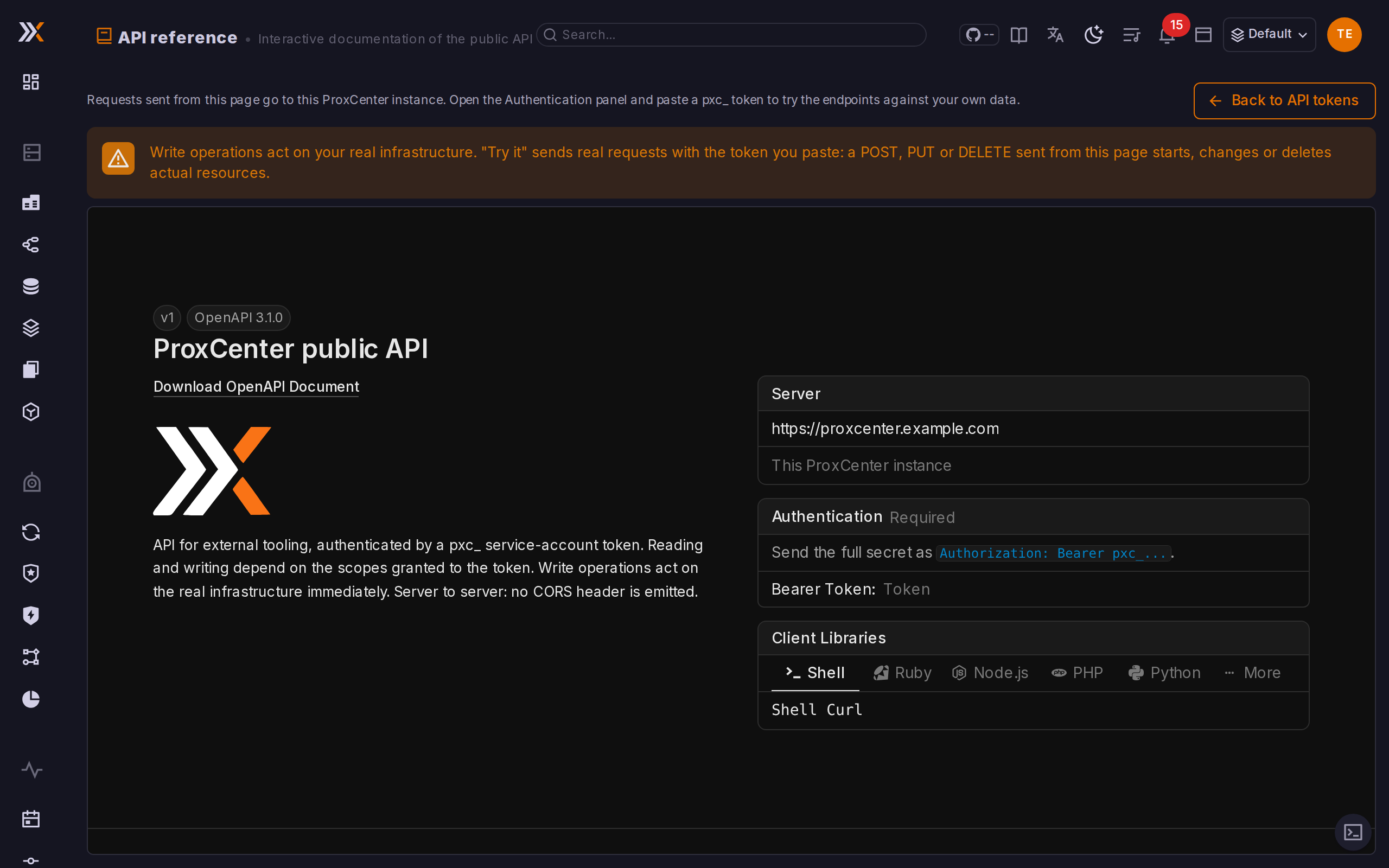
The same document is rendered inside the product, under Settings > API reference (/settings/api-reference). Open it with the API reference button of the Settings > API tab, or from the command palette (Ctrl/Cmd + K) with Open the API reference. Each endpoint is listed with its parameters and responses, and a Try it panel sends the request to the instance you are logged in to, authenticated with a token as described above, so a call can be checked against your own fleet before it goes into a scraper or a script.
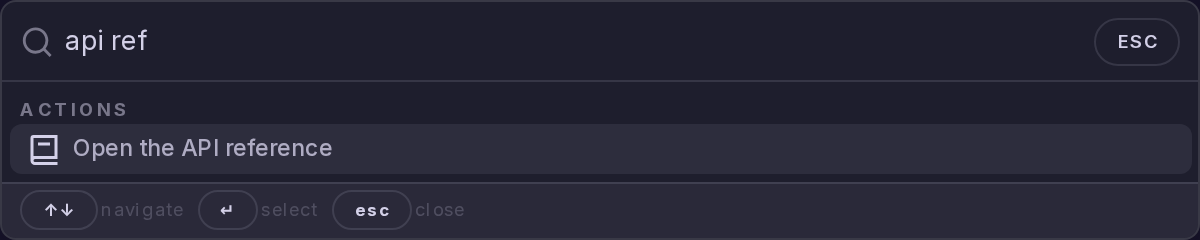
The page is gated exactly like the token tab: a super_admin acting in the provider tenant. It does not depend on the API Access add-on, so the reference is readable before the option is licensed. It follows the dark or light mode of your session and shows the white-label logo and name when branding defines them. Nothing leaves your browser but the requests you send from Try it: the embedded viewer has no request proxy, no telemetry, no remote fonts, no AI assistant, and it does not remember the token you paste.
Quotas
Each token gets its own quota, 600 requests per minute by default, counted in a fixed window aligned on the clock minute. Writes are counted in a separate write bucket, 60 writes per minute by default, so a busy automation cannot starve your monitoring reads and a read scrape cannot eat the write budget. The write limit is set per token in the creation dialog (Writes per minute), which is shown only when a domain is on Write.
Every answer to a token carries the current state of the window it was counted in, the read window for a GET, the write window for any other method:
| Header | Meaning |
|---|---|
RateLimit-Limit | Requests allowed per minute for this token |
RateLimit-Remaining | Requests left in the current window |
RateLimit-Reset | Seconds until the window resets |
Beyond the quota the call is refused with HTTP 429 Rate limit exceeded and a Retry-After header, in seconds. The window is consumed before the scope check, so a call refused for a missing scope still counts against it.
Both quotas are set when the token is created and cannot be changed afterwards: there is no edit route. A different ceiling means creating another token.
Counters are held in the frontend process, so on a control-plane HA stack the effective ceiling is multiplied by the number of active nodes.
Each call also records a Last used timestamp and the caller's IP address, refreshed at most once a minute.